![[教程] Groove3 Logic Pro How to Record Edit and Mix Drums(288MB)插图](https://www.midivst.com/wp-content/uploads/2025/03/Logic-Pro-How-to-Record-Edit-brPa-x450.jpg "[教程] Groove3 Logic Pro How to Record Edit and Mix Drums(288MB)插图")
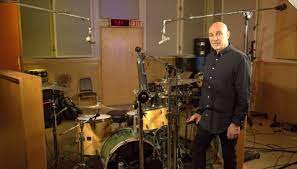
想了解如何在 Logic Pro 中录制自己的鼓声,但又不知道从哪里开始?就是这个!在这个录制鼓声视频课程中,Logic Pro 专家 Stephen O'Connell 将带您从头到尾完成整个过程 - 从规划您的会话和选择麦克风,一直到编辑、门控、处理等等!录制好鼓声并非易事,但这个鼓声录制视频课程将主题分解为易于理解的概念和技术,保证获得出色的效果。在完成本 Logic 课程后,您将准备好在下一个作品中开始录制自己的鼓声!
Stephen 首先概述课程,简要介绍课程中将要讲到的所有内容,以便您了解课程内容。然后介绍鼓录制方法,您将了解录制鼓时常用的各种麦克风技术以及录制鼓所需的最少设备。Stephen 还向您展示了如何准备鼓录制会话,包括设置各个音轨、使用组控件等。
接下来,您将探索编辑主题,包括合成片段(从每个片段中选择最佳部分)、量化(将不合时宜的节拍移近节拍)以及利用 Logic Pro 的工具加快工作流程。一旦节奏全部整理好,Stephen 就会将注意力转向相位,您将发现两种快速方法来纠正可能出现的任何问题。
在课程的剩余时间里,您将了解其余过程,包括使用轨道堆栈和 VCA 进行项目管理(以保持高效和有序)、门控鼓(以消除渗色和其他噪音)、EQ/压缩/饱和度(用于三个 C:校正、压缩和颜色)、鼓触发(使用 Logic Pro 的内置工具轻松操作)、并行压缩和其他处理(纽约风格的压缩)、创建鼓库(将您的鼓录音变成一次性样本)、创造性地使用效果(结合效果和自动化以获得独特的声音)等等!
如果您因为听说在家录制自己的鼓声很难而感到不安,那是真的,这并不容易。但是,按照本 Logic Pro 鼓声录制视频课程中列出的步骤,绝对可以录制出音质出色的鼓声!更棒的是,您在本课程中学习的技能(压缩、均衡等)也可以应用于处理其他乐器!请参阅单独的 Logic Pro 视频教程描述,了解有关我们将在课程中介绍的所有内容的更多信息,以及如何在自己的作品中使用这些技术来获得惊人的效果。是时候踏入擂台了……今天就观看“Logic Pro:如何录制、编辑和混音鼓声”吧!
您将学到什么:
- 用于录制鼓声的各种麦克风方法和麦克风类型。
- 在整个会议期间保持高效和有条理的技巧。
- 编辑鼓声以使表演更加紧凑,尝试替代安排等。
- 使用均衡器、压缩器、饱和度等处理鼓。
- 还有更多!
使用的插件和软件:
Logic Pro
Logic Pro 噪声门
Logic Pro 增益
Logic Pro 测试振荡器
Logic Pro 通道均衡器
Logic Pro 压缩机
Logic Pro ChromaGlow
Logic Pro 空间设计师
Logic Pro 磁带延迟
原文:
Curious about recording your own drums in Logic Pro but aren’t sure where to start This is it! In this recording drums video course, Logic Pro wiz Stephen O’Connell will walk you through the process start to finish – from planning your session and selecting your mics all the way through editing, gating, processing, and more! Recording drums well is no small task, but this drum recording video course breaks down the topic into easy-to-understand concepts and techniques that are guaranteed to get great results. By the end of this Logic course, you’ll be ready to start tracking your own drums on your very next production!
Stephen begins with a course overview, briefly discussing everything that’s going to be covered in the course so you’ll know what’s in store. Then it’s on to drum recording methods, where you’ll learn about various microphone techniques commonly used to record drums and the minimum amount of equipment you’ll need in order to do so. Stephen also shows you how to prepare for a drum recording session, including setting up the various tracks, using group controls, etc.
Next, you’ll explore the subject of editing, including comping takes (selecting the best parts from each take), quantizing (moving mistimed hits closer to the beat), and taking advantage of Logic Pro’s tools for faster workflow. Once the rhythm’s all tidied up, Stephen turns his attention to phase, and you’ll discover two quick methods for correcting any issues that may arise.
Throughout the rest of the course, you’ll learn about the rest of the process, including using track stacks and VCAs for project management (for staying efficient and organized), gating the drums (to remove bleed and other noises), EQ/compression/saturation (for the three Cs: correction, compression, and color), drum triggering (using Logic Pro’s built-in tool for ease), parallel compression and other processing (New York-style compression), creating a drum library (turning your drum recording into one-shot samples), creative use of effects (combining effects and automation for unique sounds), and more!
If you’ve been wary about recording your own drums at home because you’ve heard it’s difficult, that’s true; it’s not easy. However, with the steps laid out in this Logic Pro drum recording video course, great-sounding drum tracks are absolutely attainable! What’s better is that the skills you learn in this course (compression, EQ, etc.) can be applied when dealing with other instruments, too! See the individual Logic Pro video tutorial descriptions for more information on everything that we’ll cover in the course and how you can use these techniques in your own productions to get amazing results. It’s time to step into the ring… Watch “Logic Pro: How to Record, Edit & Mix Drums” today!
What You Will Learn:
-Various miking methods and microphone types used for recording drums.
-Tips for staying efficient and organized throughout the session.
-Editing the drums to tighten up performances, try alternate arrangements, etc.
-Processing the drums with EQ, compression, saturation, etc.
-And more!
Plugins and Software Used:
Logic Pro
Logic Pro Noise Gate
Logic Pro Gain
Logic Pro Test Oscillator
Logic Pro Channel EQ
Logic Pro Compressor
Logic Pro ChromaGlow
Logic Pro Space Designer
Logic Pro Tape Delay